As much as cloud remains a dominant option for the casual consumer, it is worth to remember that AI (LLM or units of compute) are also units of Intellect. Ownership or compute (intellect) has the potential to become a potential trend (or hobby) as AI continues to improve. Naturally, compute ownership typically requires the generosity of open-source providers. Enter MiniMax H3: an omni-modal model that turns text (plus optional images, audio, and even reference clips) into video with native stereo audio — up to 2K resolution and 15 seconds long.
H3 is a chonky 33B parameters, and it’s the model everyone is talking about because it does what closed “video from text” services do, but locally. The hype is real — the capability is real, content creation ownership just levelled up. What’s not real is the idea that prompting it like an image model gets you anything good. It doesn’t. H3 has its own prompt grammar, and this post teaches you a structure required to make your own awesome videos.
What you need
- Minimum hardware requirements: NVIDIA GPU with 5-12 GB VRAM and 32 GB DDR5 RAM (higher is better, but GPU pricing isn’t)
- WanGP (github.com/deepbeepmeep/Wan2GP) — the “AI Video Generator for the GPU Poor” — lets you get away with 5-6 GB VRAM for 5-second (124-frame) clips, and 8-9 GB for 15s at 832×480, via step-skipping caches, sparse attention, quantized checkpoints, and lower-RAM text encoders. It’s free and local; only the official repo or wangp.ai are authoritative.
- AMD Ryzen AI Max+ 395 (Strix Halo) — the box we run everything on — handles the higher-quality safetensors of MiniMax H3 with its 96 GB unified-memory allocation. Compute will be alot slower than a dedicated NVIDIA GPU, but it fits chonkz.
The model, and its file sizes
The Comfy-Org conversion splits H3 into three component groups, and you need all three — the diffusion model, a text encoder, and a VAE. Sizes (from Comfy-Org/MiniMax-H3):
Diffusion models (pick the variants that fit VRAM + RAM + OS overhead):
minimax_h3_fl2va_bf16.safetensors— 66.28 GB (full bf16)minimax_h3_fl2va_int8_convrot.safetensors— 34.04 GBminimax_h3_fl2va_pruned_bf16.safetensors— 40.23 GBminimax_h3_fl2va_pruned_fp8_scaled.safetensors— 20.96 GBminimax_h3_fl2va_pruned_int8_convrot.safetensors— 20.97 GB
(There’s a matching ref2va_ set — 66.28 / 34.04 / 40.23 / 20.96 / 20.97 GB — for the reference-to-video variant. Same story.)
Text encoder: qwen3vl_32b_minimax_h3_bf16.safetensors — 51.51 GB, or the quantized int8_convrot at 27.14 GB, or nvfp4_awq at 15.69 GB.
VAE (both kinds): minimax_h3_video_vae_fp16.safetensors — 5.21 GB and minimax_h3_audio_vae_fp32.safetensors — 0.61 GB.
On a 96 GB Strix Halo allocation (or ~118-121GB in Ubuntu), the realistic combination via Comfyui is the pruned fp8 diffusion model (~21 GB) + the nvfp4 text encoder (~16 GB) + both VAEs (~6 GB) — roughly 43 GB total, comfortably inside 96 GB with room for context. If you want max quality you can step up to the pruned bf16 diffusion model (~40 GB) + int8 encoder (~27 GB) ≈ 73 GB — still fits, but leaves less headroom, but the geenrations will be sloooooooooooooow due to the Strix Halo’s limited memory bandwidth and sheer compute needed.
How to prompt it
The single most important thing to understand: H3 requires directing. Its prompt is a structured production script — shots, camera motion, dialogue, sound, and music — not a wish. The official VIDEO_PROMPT_WRITING_GUIDE defines four modes, and the prompt grammar is built to feed all of them:
- T2VA — text-to-video-audio: a complete audiovisual timeline from text alone.
- I2VA — T2VA body + a first-frame instruction + a path that develops forward from that frame.
- FL2VA — T2VA body + first-and-last-frame instructions + a continuous path between them.
- L2VA — T2VA body + a last-frame instruction + a path converging from a plausible earlier state to the last frame.
The three core fields
Every prompt carries three fields, and you fill each one deliberately – you can use your agentic harness to ingest this blog piece to help you:
integrated_multimodal_description— visuals, actions, shots, speakers, dialogue, singing, diegetic audio (sound the characters can hear).overall_soundscape— ambient sound, physical action, non-verbal human sounds.non_diegetic_music— background music the characters cannot hear.
The instruction line
For image-anchored modes, the prompt should open with an instruction line stating how the reference images align with the timeline — then a blank line. For I2VA:
“For the target video, at 0.00 seconds into the target video,
(from [Shot 1]) is fully referenced.”
For FL2VA, anchor both frames and give the model a continuous path — never two static image descriptions:
“Picture 1 (from Shot 1) aligns with the 0.00-second mark…”
For L2VA, anchor only the final moment at its exact timestamp (S.SS seconds, two decimals) and let the model infer a compatible earlier state.
Shots and cuts
No timestamp on the first shot (you just call it Shot 1) but the later shots are sequential numbers with increasing cut times — [Shot 2] At 00:03.500, the camera cuts to... Use “the camera cuts to” or “shot transitions to”; only use cross-dissolve, fade, or wipe when you actually want additive effects. A cut must introduce new information — for distance or angle changes, prefer camera motion instead of a cut.
Camera motion — three dimensions
Write motion as natural English inside the shot, not stacked labels:
- Type: Zoom In/Out, Push In/Pull Out, Pan, Truck, Tilt, Pedestal, Arc, Tracking, Static, Shake Slightly/Strongly, POV, Roll.
- Amplitude: “with small amplitude” / “with large amplitude”.
- Speed: “at slow speed” / “at fast speed”.
Natural phrasing: “The camera pushes in with small amplitude at slow speed toward the folded letter in her hands.”
Speakers, dialogue, and text
Stable speaker IDs like (S1), (S2), or (S1,S2) for simultaneous speech. Put identifying info, action, and delivery outside ; inside only the language tag and the verbatim content — e.g. <d>[English] First batch of the morning.</d>. Voiceover uses the exact phrase “says in an off-screen voiceover” and states the lips remain closed. Use when dialogue crosses a cut and for truncation by video end. On-screen text goes in English double quotes, preserved verbatim — a red neon sign reading “Open for Business”.
Sound and music
Soundscape: 1-4 English sentences, one paragraph. Never repeat dialogue, singing, or diegetic music. Use N/A only for explicit total silence.
Music: 1-3 sentences on instrumentation, speed, rhythm, dynamics — never abstract mood words. N/A when there’s none.
Style and structure
State the overall style at the start of [Shot 1]: Cinematic, live-action, 2D-animated, 3D CG, claymation, watercolor, vintage film. For FL2VA, favor a single shot so the model interpolates continuously. Keep character identity, clothing, colors, objects, and spatial relationships consistent across keyframes. And structure each mode as a progression, not a snapshot:
- I2VA: first-frame anchor → action onset → development → result.
- FL2VA: first-frame state → intermediate changes → narrowing differences → last-frame state.
- L2VA: plausible preceding state → transition path → convergence → landing.
Keeping identity and voice consistent (the hard part)
Character consistency is the single biggest failure mode people hit with H3 — the same person drifting into a different face, outfit, or voice from shot to shot. It’s worth understanding why before you prompt: H3 has no built-in character memory. There’s no “identity lock” or “voice lock” toggle in the base model — those phrases describe community workflow tricks, not model features. The model generates shot by shot, so every piece of identity you want kept has to be re-supplied in every shot, or grounded in an image.
There are three levers to consider (although if you are already knowledgable in content generation, Image references will produce the best accurancy):
- Repeat identity verbatim, every shot. The guide is explicit: keep character identity, clothing, colors, objects, and spatial relationships consistent across keyframes. Practically, that means writing Amy’s full descriptor into every shot — name, hair, outfit, makeup — never “the girl” or “she”. Every shot re-anchors the model to the same person. If you want the ponytail, the neon hair-tie glint, and the coffee-shop uniform to survive a cut, list them in Shot 2, Shot 3, and Shot 4 exactly as in Shot 1.
- Ground identity in images when you can. The strongest identity lock is not text at all — it’s the reference frames. In I2VA the first frame pins the subject’s face, clothing, and pose; in FL2VA both endpoints pin it; in Ref2VA up to nine images and three clips can carry it. The guide’s rule: for image-anchored modes, preserve the reference’s subject/clothing/position verbatim (“the young woman shown in
remains beside the rain-covered train window…”). And for FL2VA, favor a single shot — a continuous shot interpolates between the anchored frames, so the model never has to re-imagine the character across a cut. That’s the cheapest, most reliable identity lock there is. - Lock the voice with speaker IDs and the voiceover phrase. Dialogue is attributed by stable speaker IDs —
(S1),(S2), or(S1,S2)for simultaneous speech. Put identifying info, action, and delivery outside to help anchor the subject’s voice; and on the inside only the language tag and verbatim lines. So a character who narrates stays(S1)across every shot, and a voiceover stays an off-screen voiceover with “the lips remain closed” stated — otherwise H3 animates mouth movement where there should be none.
If done correctly, this will help reduce character, style or voice drift – but then again this is really a new model, so mileage will vary and everyone is still learning as we go.
Worked example
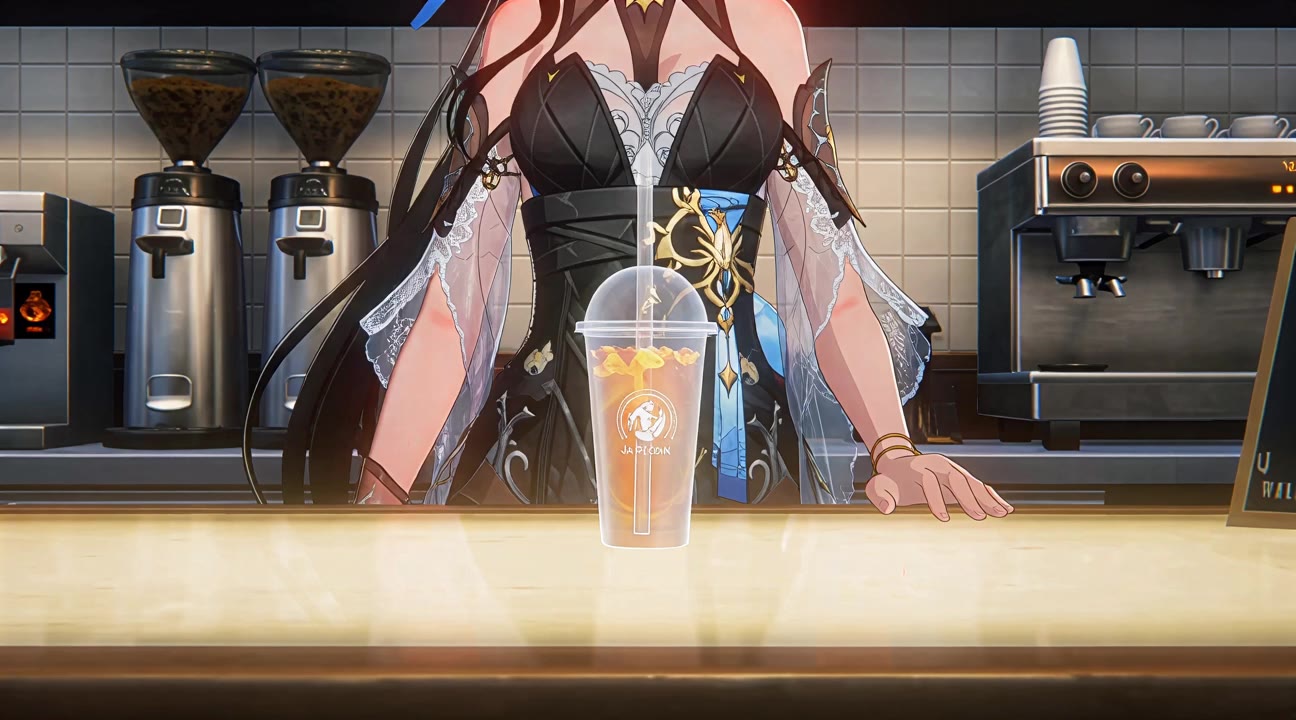
A short omni-modal clip generated with MiniMax H3 via Image to Video. This was produced on a 64GB DDR5 + RTX 5070 Ti. (note a few imperfections: the artifacts and some mouthy lag in the end, and I swear she sounds like March 7th).
In a nutshell
H3 is genuinely impressive — native stereo audio and 11-language dialogue from one 33B model is not hype, it’s real. But the quality ceiling is set by the prompt and VRAM. A chat-style one-liner produces mush; a script-style prompt produces a real short film. That’s the whole trick. Video editing should do the rest.
And the compute reality: on Strix Halo’s 128GB unified memory, the high-quality safetensors fit, but generation is slow — expect to wait, especially at longer durations and higher resolution. Wan2GP’s low-VRAM path is the pragmatic route for most people, and the tradeoff is speed for quality. Treat H3 as a “let it think” machine: write the script, run it, iterate.
What’s next
That’s the prompting foundation. If you want to take H3 further — pushing toward higher output quality via upscaling, or wiring it into an agentic workflow.
For now: one model, good grammar counts, and it works.
Exploring more capable open models? Check out our GLM 5.2 at 4-bit with MTP guide.